Conditional flows
A workflow can have conditional flows. For example, when a new order is created, you need to verify if the order is fraudulent for paid orders only, not for unpaid orders.
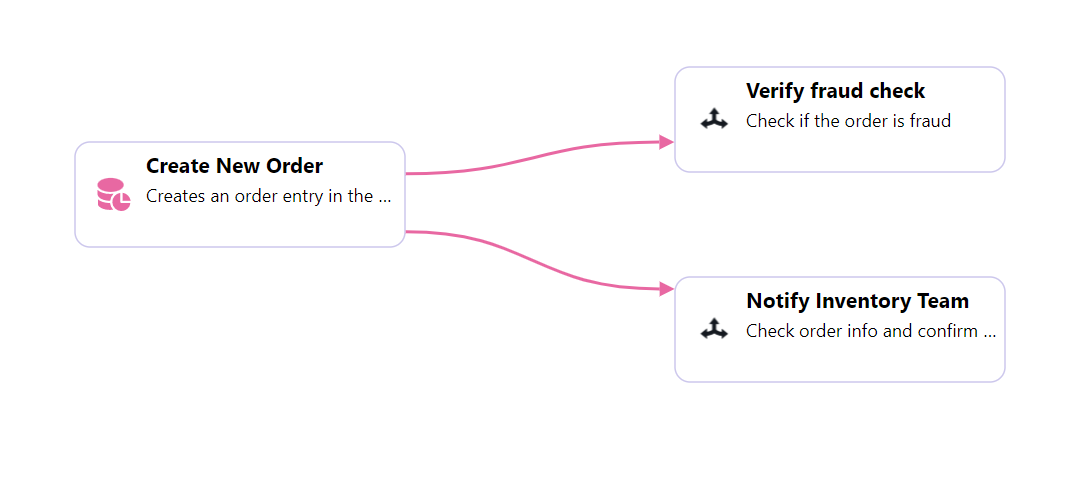
Consider the workflow design as below.
Click on the first link which connects create New Order and Verify Fraud Check, then click on the cog icon. In the pop-up model, add a condition to verify if the order status is paid. Click to understand operators
For the second flow to process only unpaid orders, click on the second link connecting from create New Order and Notify Inventory Team and add the condition for unpaid orders. See the below sample example.
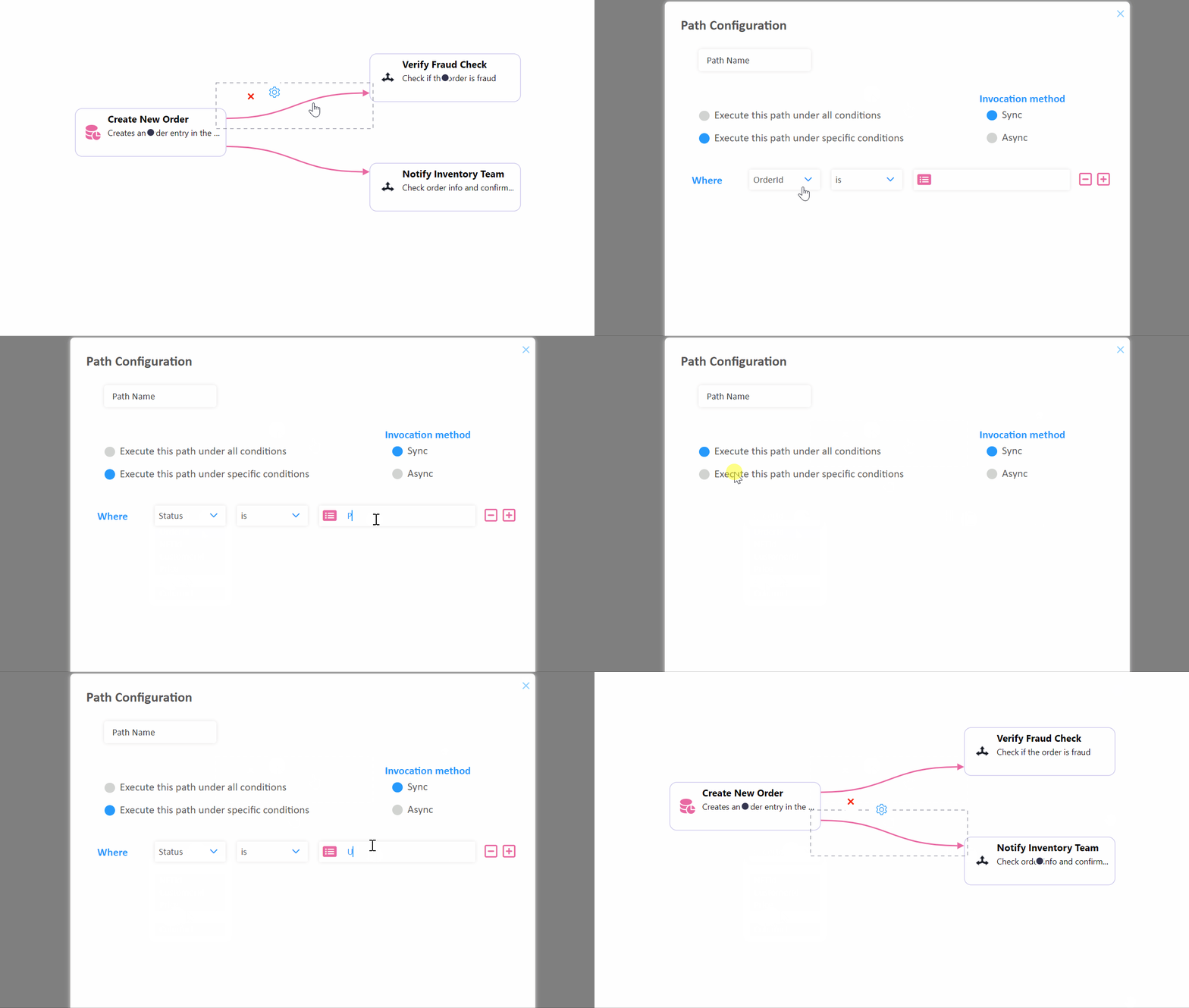
Given the use case, only one condition can be added for each flow. However, you can build complex conditions as per your requirement.