Document Workflow
Documentation is any communicable material that is used to describe, explain, or instruct regarding system procedure, such as its functionalities, features, and usage. Here, it relates to all the material created during development or it is basically referring to process documentation, where the creator documents the process of creation.
You can provide or see provided the documentation of each workflow process, which is created by you or by your team, to get familiar and to know about the details of the workflow.
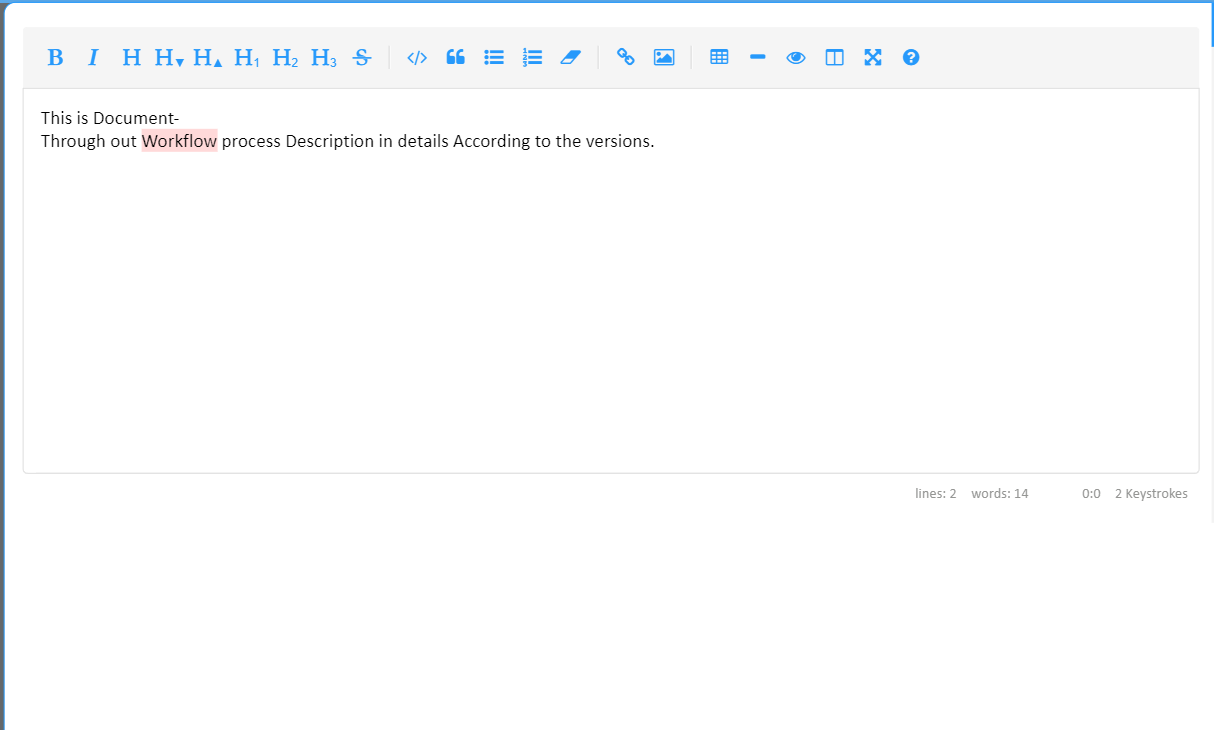
The documentation mode is listed on the left toolbar. When clicking on the mode, it will lead you to the editor page, where you can write information about the use case of the workflow and its features in detail. The documentation editor has multiple tools on the top bar of the editor, which will help you to insert text with different font families and styling, upload images and videos, link URLs, and many more.
The text editor has a text area block, by which the user can resize the editor block according to the content. Once done, click **Ctrl+S ** to save the data once you are done, or simply exit the window so that the content will be saved and can be recovered whenever it is opened again.
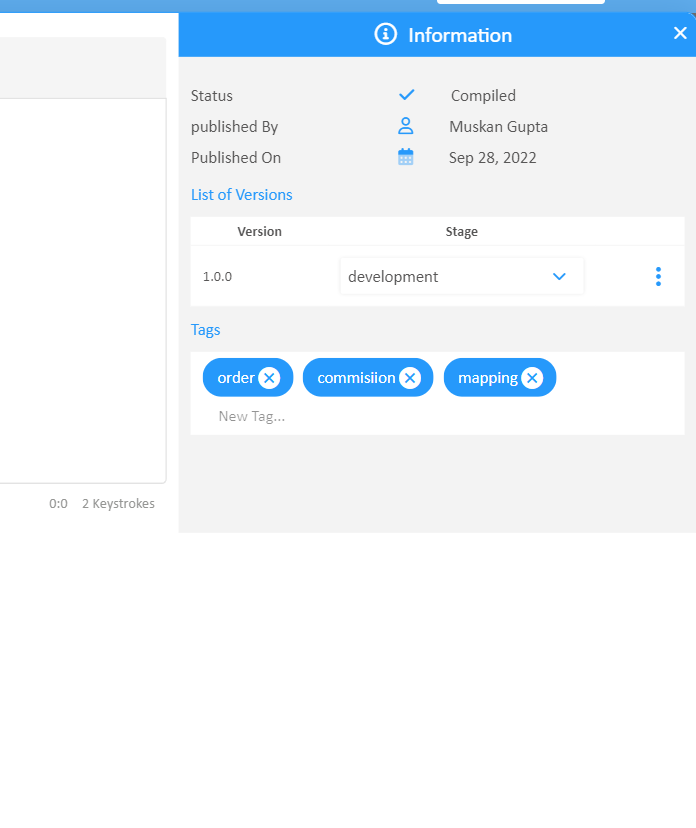
On the other side, the Editor has an information block which lists a few details about the Status of the Workflow when it was published and by whom. You can also document the version stages, as each new commit of the Workflow will generate a new version of the same Workflow. According to the version stage, the user or developer can provide details in the documentation.
By the Version list, users can directly visit each version of the Workflow based on the stage. There is a Tags feature which will allow users to insert keywords which describe the functionalities or features of a workflow. Eventually, tags can be useful for search and retrieval purposes.